
Screen Time and Your Eyes: What the Research Actually Says in 2026 (Edmonton Eye Care Guide)
Screen Time and Your Eyes: What the Research Actually Says in 2026 (Edmonton Eye Care Guide)
Edmontonians spend a staggering amount of time staring at screens. Between long winter evenings, remote work, and the fact that most of us unwind by switching from a work screen to a personal one, our eyes are under more sustained near-focus demand than any previous generation. The average Canadian adult now logs somewhere between 10 and 13 hours of daily screen time when you add up phones, laptops, TVs, and tablets.
So what does all that screen time actually do to your eyes? The short answer: digital eye strain is very real and very common, but permanent screen-induced eye damage is far less likely than the internet wants you to believe. The longer answer is more nuanced, and worth understanding if you care about keeping your eyes comfortable for decades to come.
This guide breaks down what peer-reviewed research says about screen time and eye health in 2026, separates the genuine concerns from the marketing hype, and gives you practical strategies that actually work. If your eyes have been feeling tired, dry, or strained after long screen sessions, you're not imagining it. And there are real solutions.
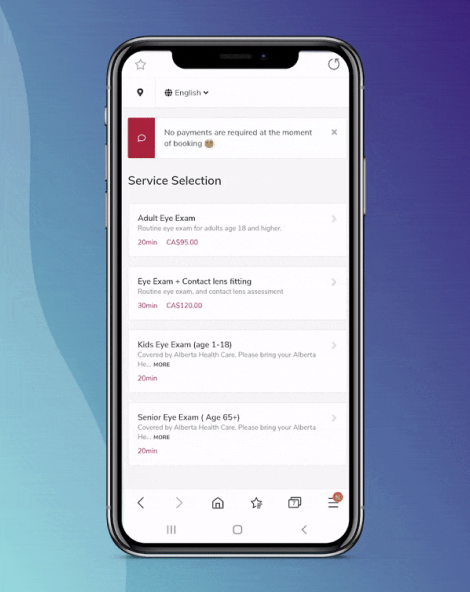
Need your eyes checked? Charm Optical offers $99 comprehensive eye exams at our Ellerslie location in South Edmonton. Book online at see.charmoptical.ca or call (780) 490-0090.
What's in This Guide
- What Is Digital Eye Strain?
- Symptoms of Computer Eye Strain: Quick Reference Table
- Why Your Blink Rate Drops 66% at a Screen
- Blue Light and Your Eyes: What the Science Actually Shows
- The 20-20-20 Rule: Simple, Free, and Evidence-Based
- Optimal Screen Distances and Workstation Setup
- Edmonton's Long Winters and Extra Screen Hours
- Computer Glasses: Who Needs Them in Edmonton
- Blue Light Lenses: What They Do and Don't Do
- Kids and Screen Time: What Edmonton Parents Should Know
- When to See an Optometrist About Screen-Related Symptoms
- Frequently Asked Questions About Screen Time and Eyes
What Is Digital Eye Strain? (And Why Edmonton Workers Feel It Most)
Digital eye strain, sometimes called computer vision syndrome (CVS), is a group of eye and vision problems caused by prolonged use of computers, tablets, smartphones, and other digital devices. The American Academy of Ophthalmology estimates it affects about 50% of regular computer users.
The condition isn't a single diagnosis. It's an umbrella term for a cluster of symptoms that show up when your eyes work harder than they should for extended periods. Your visual system wasn't designed for 10+ hours of fixed-distance, high-contrast, backlit focus. It adapted beautifully for scanning landscapes, tracking movement, and shifting between near and far objects throughout the day. Screens break that natural pattern.
Three things happen simultaneously during prolonged screen use that create the perfect storm for discomfort:
- Sustained accommodation: Your ciliary muscles (the tiny muscles that bend your lens to focus up close) stay contracted for hours without relief
- Reduced blinking: You blink far less often while focused on a screen, leaving your tear film unstable
- Convergence demand: Your eyes must turn inward slightly to focus on a near object, and maintaining that convergence for hours is exhausting
None of these cause permanent damage in otherwise healthy adult eyes. But they do cause real, measurable discomfort that affects your productivity and quality of life. For people in Edmonton neighbourhoods like Windermere, Summerside, and Ellerslie who work from home, the combination of desk work and limited outdoor time during winter months makes digital eye strain especially prevalent.
Symptoms of Computer Eye Strain: Quick Reference Table
Not sure if what you're experiencing counts as digital eye strain? Here's what to look for:
| Symptom | What It Feels Like | Typical Cause | When It's Worst |
|---|---|---|---|
| Eye fatigue | Heavy, tired eyes; difficulty keeping eyes open | Sustained accommodation (near focus) | After 2+ hours of screen work |
| Dry eyes | Burning, gritty, sandy feeling | Reduced blink rate + indoor heating | Late afternoon; worse in winter |
| Blurred vision | Screen text looks fuzzy; distance vision temporarily blurry after looking up | Accommodative spasm (focusing muscle lock) | End of workday |
| Headaches | Dull ache behind eyes or across forehead | Eye muscle strain + uncorrected refractive error | Afternoon and evening |
| Neck and shoulder pain | Stiffness, tension in upper body | Poor monitor position; leaning forward to see | Worse with laptops than desktop monitors |
| Light sensitivity | Discomfort from overhead lights or screen brightness | Pupil fatigue + dry corneal surface | Fluorescent office lighting |
| Double vision | Overlapping images, especially at near | Convergence insufficiency | After very long screen sessions; signals need for exam |
If you're experiencing three or more of these regularly, it's worth getting a comprehensive eye exam. Sometimes what feels like "screen strain" is actually an uncorrected or under-corrected prescription that only shows up under sustained visual demand.
Why Your Blink Rate Drops 66% at a Screen
This is one of the most well-documented findings in digital eye strain research, and it's a big deal. Normal resting blink rate is about 15 to 20 times per minute. During concentrated screen work, that drops to roughly 5 to 7 blinks per minute. A study published in the journal Optometry and Vision Science confirmed that blink rate decreases by approximately 66% during computer use compared to relaxed conversation.
Why does this matter? Every blink spreads a fresh layer of tears across your cornea. That tear film does three critical things: it keeps the corneal surface smooth (which is essential for clear vision), it delivers oxygen and nutrients to the cornea, and it washes away debris and irritants. When you blink less, the tear film breaks up faster than it's replenished. The result is dry patches on the cornea that cause blurry vision, burning, and that gritty feeling you might recognise from long work sessions.
Edmonton's climate makes this worse. During winter months (roughly October through March), indoor humidity drops dramatically because of forced-air heating. The combination of reduced blinking plus dry indoor air is why so many Edmontonians notice their eyes feel significantly worse during the colder half of the year.
What Actually Helps With Blink Rate
- Conscious blinking exercises: Every 20 minutes, close your eyes fully and deliberately blink 10 times. It sounds silly. It works.
- Preservative-free artificial tears: Keep a bottle at your desk. Use them before your eyes feel dry, not after. Brands like Refresh, Systane, and Hylo are widely available in Edmonton.
- Desktop humidifier: Especially valuable from November to March. Aim for 30-50% indoor humidity.
- Position your screen slightly below eye level: Looking slightly downward reduces the exposed surface area of your eye, slowing tear evaporation.
Blue Light and Your Eyes: What the Science Actually Shows
Blue light has been one of the most over-hyped topics in eye care marketing over the past decade. So here's what the research actually tells us, without the sales pitch.
Blue light from screens does NOT cause permanent eye damage. The American Academy of Ophthalmology has stated clearly that there is no scientific evidence that blue light from digital devices causes damage to the eye. The amount of blue light emitted by screens is a fraction of what the sun produces, and your eyes are well-equipped to handle it.
Laboratory studies that showed blue light damaging retinal cells used intensities far higher than anything a screen produces, and they exposed cells directly (not through the natural filtering of the cornea, lens, and macular pigment that protect your living retina). Extrapolating those findings to normal screen use is like concluding that water is dangerous because people can drown.
That said, blue light does play a legitimate role in two areas:
1. Sleep Disruption
Blue light in the 460-490nm range suppresses melatonin production. This is well-established science. Evening screen use can delay your circadian rhythm and make it harder to fall asleep. This effect is real and meaningful, though it's about sleep biology rather than eye damage. Night mode on your devices (which shifts the colour temperature warmer) genuinely helps here.
2. Subjective Comfort
Some people find that blue-light-filtering lenses reduce the "harshness" of screen light and make prolonged computer work more comfortable. Research on this is mixed. A Cochrane systematic review found insufficient evidence that blue-blocking lenses reduce digital eye strain symptoms compared to clear lenses. But individual responses vary, and comfort is subjective. If blue light lenses make your screen work more pleasant, that's a valid reason to use them.
The bottom line: blue light lenses are a comfort choice, not a medical necessity. Anyone telling you that you need them to "protect your eyes from screen damage" is overstating the evidence.
The 20-20-20 Rule: Simple, Free, and Evidence-Based
Every 20 minutes, look at something 20 feet away for at least 20 seconds. That's it. The 20-20-20 rule is the single most effective strategy for reducing digital eye strain, and it costs nothing.
Why does it work? Those 20 seconds give your ciliary muscles (the focusing muscles inside your eye) a chance to fully relax. Focusing at 20 feet or beyond requires essentially zero accommodative effort. Think of it like unclenching a fist you didn't realise you'd been making for 20 minutes straight.
The challenge, of course, is remembering to do it. A few practical approaches:
- Set a recurring 20-minute timer on your phone or computer
- Use a free app like EyeCare 20 20 20 (available for most platforms)
- Tie it to a habit you already have — every time you take a sip of water or coffee, look away from your screen
- If you work near a window, look outside. Bonus: natural light exposure during Edmonton's short winter days helps with mood and energy
The Canadian Association of Optometrists recommends the 20-20-20 rule as a frontline strategy for anyone who spends more than two hours per day on digital devices. That includes most working adults and a growing number of school-age children.
Optimal Screen Distances and Workstation Setup
Where you place your screen matters more than most people realise. Too close, and your focusing muscles work overtime. Too far, and you squint or lean forward. Here's what the research and clinical guidelines recommend:
| Device | Recommended Distance | Screen Position | Common Mistake |
|---|---|---|---|
| Desktop monitor | 50-70 cm (20-28 inches) | Top of screen at or slightly below eye level | Monitor too high — causes neck strain and wider eye opening (more dryness) |
| Laptop | 50-65 cm (20-26 inches) | Elevate screen; use external keyboard | Hunching over laptop on a desk or lap — worst ergonomic position |
| Tablet | 40-50 cm (16-20 inches) | Propped at slight angle, not flat on lap | Holding too close, especially in bed |
| Smartphone | 30-40 cm (12-16 inches) | Held up, not down in lap | Holding 15-20 cm from face (extremely common) |
Quick Ergonomic Wins
- The arm's-length test: Sit back in your chair and extend your arm fully. Your fingertips should just touch the screen. That's roughly the right distance for a desktop monitor.
- Tilt your screen back 10-20 degrees: This reduces reflections from overhead lighting and positions the screen perpendicular to your line of sight.
- Reduce screen brightness to match your surroundings: Your screen shouldn't be the brightest thing in the room or the dimmest. Match it to ambient light.
- Increase text size: If you find yourself leaning forward to read, bump up the font size in your browser or system settings. Your eyes will thank you.
- Matte screen protectors: If glare is an issue (common with overhead fluorescent lights in offices), an anti-glare screen protector can significantly reduce reflections.
Edmonton's Long Winters Mean More Screen Hours (and More Eye Strain)
There's a reason digital eye strain comes up so frequently at our Ellerslie practice during the winter months. Edmonton gets roughly 8 hours of daylight in December compared to 17 hours in June. Shorter days mean people spend more time indoors, and more indoor time means more screen time.
A typical Edmonton winter weekday might look like this: wake up in the dark, commute (or walk to the home office), work on a computer all day, drive home in the dark, then spend the evening on a phone or TV. That's 12+ hours of screen exposure with minimal natural light or outdoor visual variety. Families in neighbourhoods like Rutherford, Heritage Valley, and Walker often report the same pattern — especially those with home offices.
Combine that with forced-air heating that pulls humidity down to 15-20% in many Edmonton homes, and you have the perfect recipe for dry, strained, uncomfortable eyes from November through March.
Winter-Specific Strategies for Edmonton
- Get outside during daylight hours. Even 15-20 minutes of outdoor exposure during lunch gives your eyes natural light and distance-focusing relief. Walking the trails around The Meadows or Blackmud Creek counts.
- Use a humidifier in your workspace. This is arguably the single most impactful change for winter eye comfort. Whole-home humidifiers are ideal; desktop models help too.
- Switch to preservative-free artificial tears. If you use drops more than 3-4 times per day, preservative-free formulations are gentler on the corneal surface with repeated use.
- Consider computer glasses with an anti-reflective coating. Even if you don't normally need glasses, a mild plus-power lens for computer distance can reduce focusing effort significantly. More on this below.
Computer Glasses: Who Needs Them in Edmonton
Computer glasses are single-vision lenses optimised for screen distance (typically 50-70 cm). They differ from regular reading glasses, which are set for a closer focal point (about 35-40 cm). They also differ from your distance glasses, which are calibrated for 6 metres and beyond.
You might benefit from dedicated computer glasses if:
- You spend 4+ hours per day at a screen and experience fatigue, headaches, or blurred vision
- You wear progressive lenses and find yourself tilting your head back to see through the intermediate zone — this is extremely common and causes neck pain
- You're over 40 and your reading prescription is strong enough that your screen looks slightly soft at arm's length
- You work with multiple monitors and need a wider field of clear intermediate vision than progressives provide
- You have a mild prescription that you don't wear full-time but notice strain during sustained computer work
The key advantage of computer glasses is that the entire lens is set for screen distance. With progressives, only a narrow corridor in the middle of the lens is optimised for that range. For heavy computer users, having a dedicated pair can dramatically reduce both eye strain and the neck contortions that come from compensating for the wrong focal zone.
At Charm Optical, we can set your computer glasses to your exact working distance — measured from your eyes to your specific monitor setup. This is more precise than grabbing generic "computer readers" off a rack. Browse our full glasses collection to see frame options, or come in and we'll help you find a pair that works for your face shape and workspace.
Blue Light Lenses in Edmonton: What They Do and Don't Do
Given what we covered in the blue light section above, here's the honest breakdown on blue-light-filtering lenses:
What Blue Light Lenses Actually Do
- Filter a portion of high-energy visible blue light (typically 20-50% depending on the lens coating or material)
- May reduce perceived screen glare for some users, making prolonged screen work feel less harsh
- Can help with evening screen use by limiting the blue light wavelengths that suppress melatonin, potentially improving sleep onset
- Slight warm tint that some people find more comfortable, similar to night mode on a device
What Blue Light Lenses Don't Do
- Prevent eye damage from screens. There is no credible evidence that screen-level blue light damages the retina.
- Cure digital eye strain. The primary causes of screen-related discomfort are reduced blinking, sustained accommodation, and poor ergonomics — not blue light wavelengths.
- Replace good screen habits. The 20-20-20 rule, proper screen distance, and adequate blinking will always outperform any lens coating for strain relief.
We carry blue light lenses with same-day availability at Charm Optical. If you want them, we're happy to make them for you — and many of our patients genuinely enjoy them. We just want you to have realistic expectations about what they will and won't accomplish. Honesty serves you better than hype.
Kids and Screen Time: What Edmonton Parents Should Know
Children's eyes are more susceptible to certain screen-related effects than adults, and the research here is more concerning than the adult data.
The big finding: increased near work (including screen time) and decreased outdoor time are strongly associated with the development and progression of myopia (nearsightedness) in children. A landmark meta-analysis published in Ophthalmology found that each additional hour per week of near work was associated with a 2% increase in the odds of myopia. Conversely, each additional hour per week of outdoor activity was associated with a 2% decrease.
Myopia rates in children have been climbing steadily across Canada and worldwide. While genetics play a role, the environmental shift toward more near work and less outdoor time is considered a major contributor.
Practical Guidelines for Edmonton Parents
- Follow the Canadian Paediatric Society screen time guidelines: No screen time for children under 2, limited to 1 hour per day for ages 2-5, and consistent limits for school-age children
- Prioritise outdoor time: Aim for at least 90 minutes per day of outdoor activity. During Edmonton winters, this is harder but still important — bundle up and get outside, even in the cold
- Enforce the 20-20-20 rule for homework and gaming sessions
- Book annual eye exams starting at age 3: Alberta Health Care covers annual eye exams for children under 19. Early detection of myopia progression opens the door to management strategies like atropine drops or orthokeratology
- Watch for signs of strain: Squinting, sitting too close to screens, frequent eye rubbing, complaints of headaches after screen use
Children's eye exams are fully covered by Alberta Health Care, so there's no cost barrier to getting your child's vision checked. Book a kids' eye exam online or call us at (780) 490-0090.
When to See an Optometrist About Screen-Related Symptoms in Edmonton
Most digital eye strain responds well to the self-care strategies outlined above: the 20-20-20 rule, better ergonomics, artificial tears, and conscious blinking. But sometimes screen-related symptoms are a sign of something that needs professional attention.
Book an eye exam if you're experiencing any of these:
- Persistent blurred vision that doesn't clear after looking away from the screen — this may indicate an uncorrected or changed prescription
- Chronic dry eyes that don't improve with artificial tears and humidification — you may have meibomian gland dysfunction or another underlying dry eye condition
- Frequent headaches associated with screen use, especially if they're new or worsening — could signal a binocular vision problem or significant refractive error
- Double vision, even if intermittent — always worth investigating
- Eye pain (not just discomfort or fatigue, but actual pain) — this is never normal and should be assessed promptly
- Any sudden change in vision — see an eye care professional as soon as possible
If you haven't had an eye exam in the past two years and you spend significant time on screens, you're overdue. Many early-stage vision issues only become apparent under the sustained visual demand that screen work creates. An exam can catch problems before they become major irritants.
Charm Optical's $99 comprehensive eye exams include a thorough assessment of how your eyes handle near-work demand, dry eye evaluation, and prescription check. We direct bill to Alberta Blue Cross, Canada Life (formerly Great-West Life), Desjardins, AISH, and Alberta Works. Walk-ins for glasses are welcome; eye exams are by appointment.
Find us at 5035 Ellerslie Rd SW, Edmonton, AB T6X 1X2 — serving South Edmonton, Ellerslie, Summerside, Walker, Rutherford, Heritage Valley, Windermere, and surrounding communities.
Frequently Asked Questions About Screen Time and Eyes
Does screen time cause permanent eye damage?
No. Current research does not support the claim that screen use causes permanent structural damage to adult eyes. Digital eye strain symptoms (dryness, fatigue, blurred vision, headaches) are temporary and reversible. The American Academy of Ophthalmology confirms that screens do not cause lasting harm. However, in children, excessive screen time combined with insufficient outdoor time is linked to higher rates of myopia development.
Do blue light glasses actually work for eye strain?
The evidence is mixed. Blue light from screens is not the primary cause of digital eye strain — reduced blinking, sustained focus, and poor ergonomics are. Some people find blue light lenses subjectively more comfortable for screen work, and they may help with sleep quality if you use screens in the evening. But clinical trials have not consistently shown that blue-light-blocking lenses reduce eye strain symptoms compared to regular clear lenses. They're a personal comfort choice, not a medical requirement.
How often should I get an eye exam if I work on a computer all day?
The Canadian Association of Optometrists recommends a comprehensive eye exam every one to two years for adults, and annually for children under 19 and adults over 65. If you spend 6+ hours daily on screens and experience strain symptoms, annual exams are a good idea. Your optometrist can detect early prescription changes that contribute to strain before you'd notice them yourself.
Is dark mode better for your eyes?
Dark mode reduces overall screen brightness, which can feel more comfortable in low-light environments and may reduce eye fatigue for some people. However, research hasn't shown a definitive advantage of dark mode over light mode for eye health. The more important factor is matching your screen brightness to ambient lighting — a blindingly bright screen in a dark room strains your eyes regardless of colour scheme.
Can too much screen time cause dry eyes permanently?
Screen-induced dry eye is typically temporary and improves when screen habits change. However, chronic under-blinking over years can contribute to meibomian gland dysfunction (where the oil-producing glands in your eyelids become clogged or atrophied). This is a treatable condition but worth catching early through regular eye exams. If your dry eye symptoms persist despite artificial tears, humidification, and blinking exercises, see an optometrist for a proper dry eye assessment.
What's the best screen brightness setting for eye comfort?
Match your screen brightness to the ambient lighting in your room. Hold a white sheet of paper next to your monitor — the screen should look about the same brightness as the paper. If the screen looks like a light source (glowing), it's too bright. If it looks dull and grey, it's too dim. Most modern devices have auto-brightness that does a reasonable job, but manual adjustment is more reliable.
Are there eye exercises that help with screen strain?
The 20-20-20 rule is the most evidence-supported "exercise" for screen strain. Beyond that, pencil push-ups (slowly bringing a pencil toward your nose while maintaining single vision) can help strengthen convergence. Deliberate blinking exercises (10 slow, full blinks every 20 minutes) help maintain tear film stability. Avoid unproven "eye yoga" programmes marketed online — most have no clinical evidence behind them.